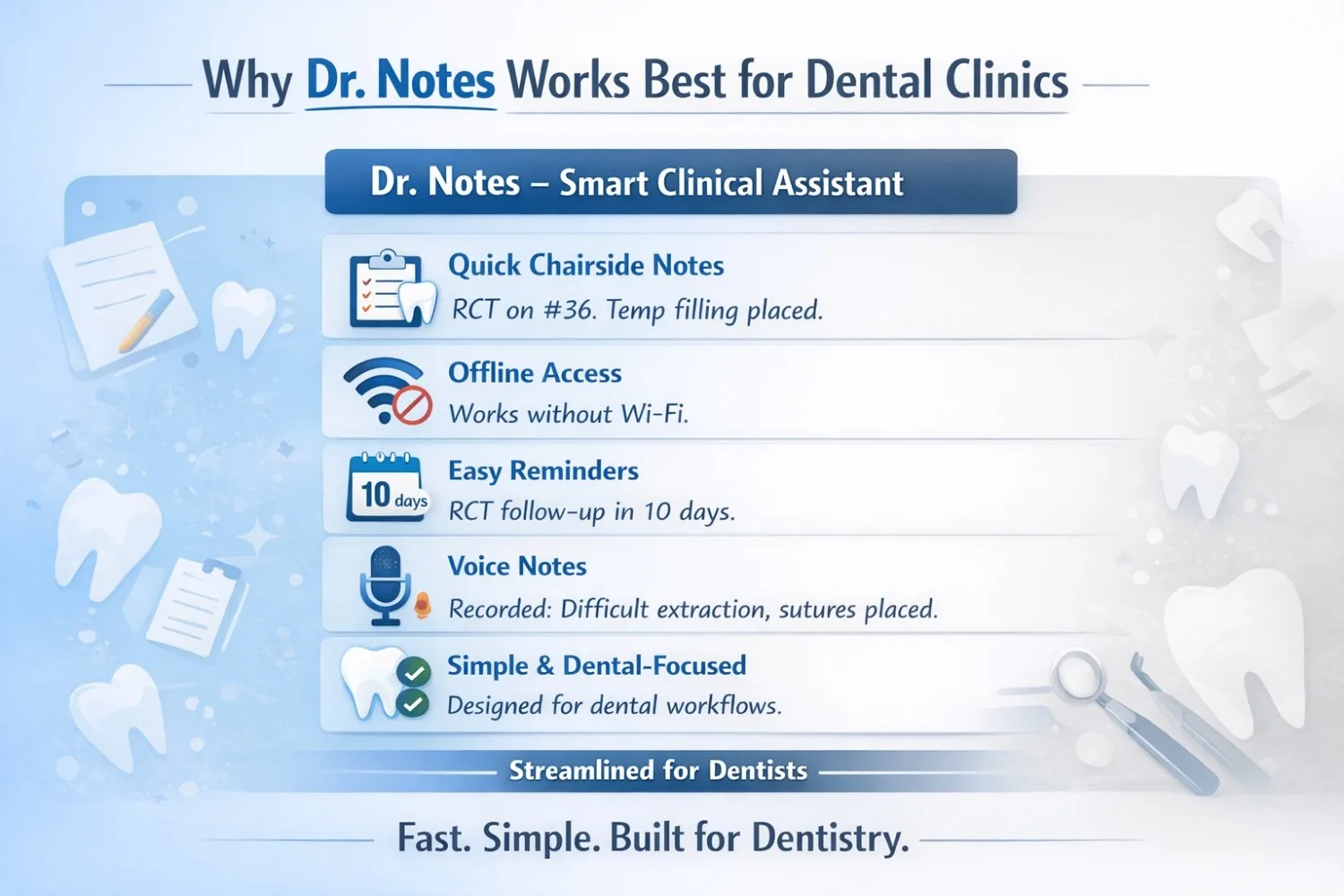
Dental clinics run differently from hospitals. Appointments are shorter, procedures are hands-on, and documentation needs to be quick, clear, and practical. While EMR and EHR systems are powerful, many dentists find them too complex for everyday dental practice.
This is where Dr. Notes – Smart Clinical Assistant fits better.
The Reality of Dental Practice
Dentists deal with:
- High patient turnover
- Procedure-based visits
- Multiple follow-ups for the same tooth
- Limited time between patients
Documentation should support this flow — not interrupt it.
Faster Chairside Documentation
A patient visits for scaling today and returns two weeks later for restoration.
With Dr. Notes, the dentist can quickly see:
Scaling completed, mild sensitivity reported, desensitizing toothpaste advised.
This takes seconds.
In many EMR/EHR systems, the dentist has to:
- Open multiple tabs
- Navigate procedure lists
- Search through structured records
For chairside work, this slows things down.
Procedure-Focused Notes That Match Dental Thinking
Dental notes are usually short and precise:
- Tooth number
- Procedure done
- Materials used
- Advice given
For instance, one patient visit may be documented as:
RCT started on tooth 36. Calcium hydroxide dressing placed. Temporary restoration done.
Dr. Notes allows dentists to write or dictate such procedure-based notes freely, without forcing them into rigid templates.
In contrast, many EMR/EHR systems are designed around medical diagnoses rather than dental procedures, which can make documentation feel unnatural in dental practice.
Offline Access Matters in Dental Clinics
Many dental clinics face:
- Poor internet connectivity
- Network issues inside clinic buildings
With Dr. Notes, dentists can:
- Access patient history
- Write notes
- Review past visits
All without internet access.
EMR/EHR systems usually require stable connectivity, which can interrupt workflow during busy clinic hours.
Try Dr. Notes on Mobile
- Secure On-Device Data
- Instant Voice Notes
- Simple Patient Management


Easy Follow-Ups and Reminders
Dentistry depends heavily on follow-ups such as:
- RCT second sitting
- Crown placement
- Suture removal
For example:
Dr. Notes reminder — RCT second sitting after 10 days
The reminder appears automatically, ensuring nothing is missed. In many EMR/EHR systems, reminders are often buried inside dashboards or tied to billing workflows.
Voice Notes After Procedures
After long procedures, typing detailed notes can be tiring. With Dr. Notes, dentists can simply record a voice note:
Difficult extraction. Sutures placed. Antibiotics prescribed.
This captures important details immediately while they are still fresh. Most EMR/EHR systems do not support quick, practical voice notes tailored for dental workflows.
EMR and EHR: Built for Hospitals, Not Dental Clinics
EMR and EHR systems are designed for:
- Hospitals and large organizations
- Insurance and billing workflows
- Multi-department coordination
Most dental clinics do not need:
- Complex insurance coding
- Hospital-scale reporting
- Heavy administrative layers
As a result, EMR/EHR systems often feel overbuilt and time-consuming for dentists.
Why Dr. Notes Fits Dental Clinics Better
Dr. Notes focuses on what dentists actually need:
- Simple visit notes
- Clear treatment history
- Offline access
- Quick follow-ups
- Minimal learning curve
It adapts to dental practice instead of forcing dentists to adapt to software.
In Simple Terms
- Dr. Notes → Ideal for dental clinics that value speed, clarity, and ease of use
- EMR/EHR → Better suited for hospitals and complex healthcare systems
Final Thoughts
Dentistry is hands-on and patient-focused. Documentation tools should support that reality.
For many dentists, Dr. Notes feels closer to how real dental clinics work — helping them stay organized without slowing down patient care.
Try Dr. Notes on Mobile
- Secure On-Device Data
- Instant Voice Notes
- Simple Patient Management
Comments